Prima.Law
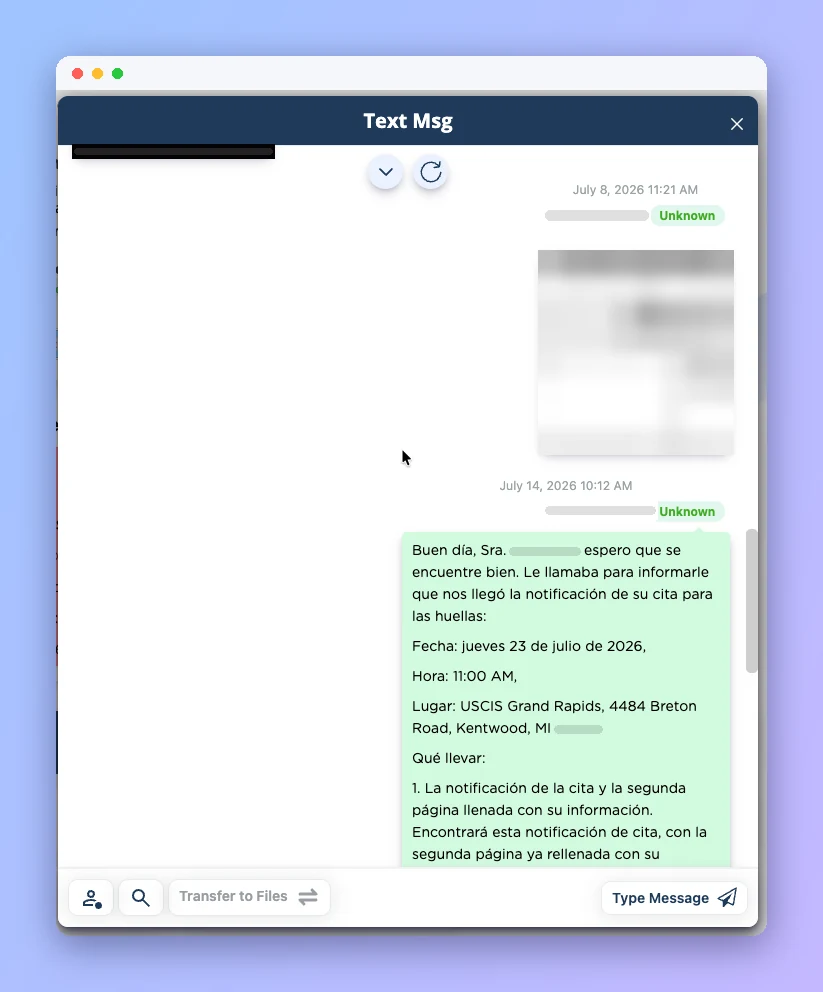
Text each client from inside Prima.Law using your firm's own Twilio number. Every message, photo and reply is saved to the client's contact record, so your whole team sees the conversation.
Individual SMS and MMS threads with each client, never mass blasts.
The full history lives on the contact, so anyone on the team can pick up the thread.
Receive images from clients and move attachments straight into the case files.
Connect your firm's Twilio account and number. No more personal cell phones.
Add your Twilio Account SID and Auth Token in the Admin panel.
Complete A2P 10DLC registration for U.S. numbers through Twilio.
Send and receive messages from the client's contact page.
Every message is stored on the contact, and files can move to the case.
Uploads, interviews, forms and payments in one place.
Adaptive intake questionnaires that import into your forms.
Answers, bug reports and live help inside the app.
Time, invoices, payment plans and trust accounting.
Book a demo and see how Client Texting fits your immigration practice.