
The Case Management Board is a live view of your firm's whole caseload. Filter it, group it, sort it and save the result as a view, so every attorney and paralegal starts the day with the right work queue.
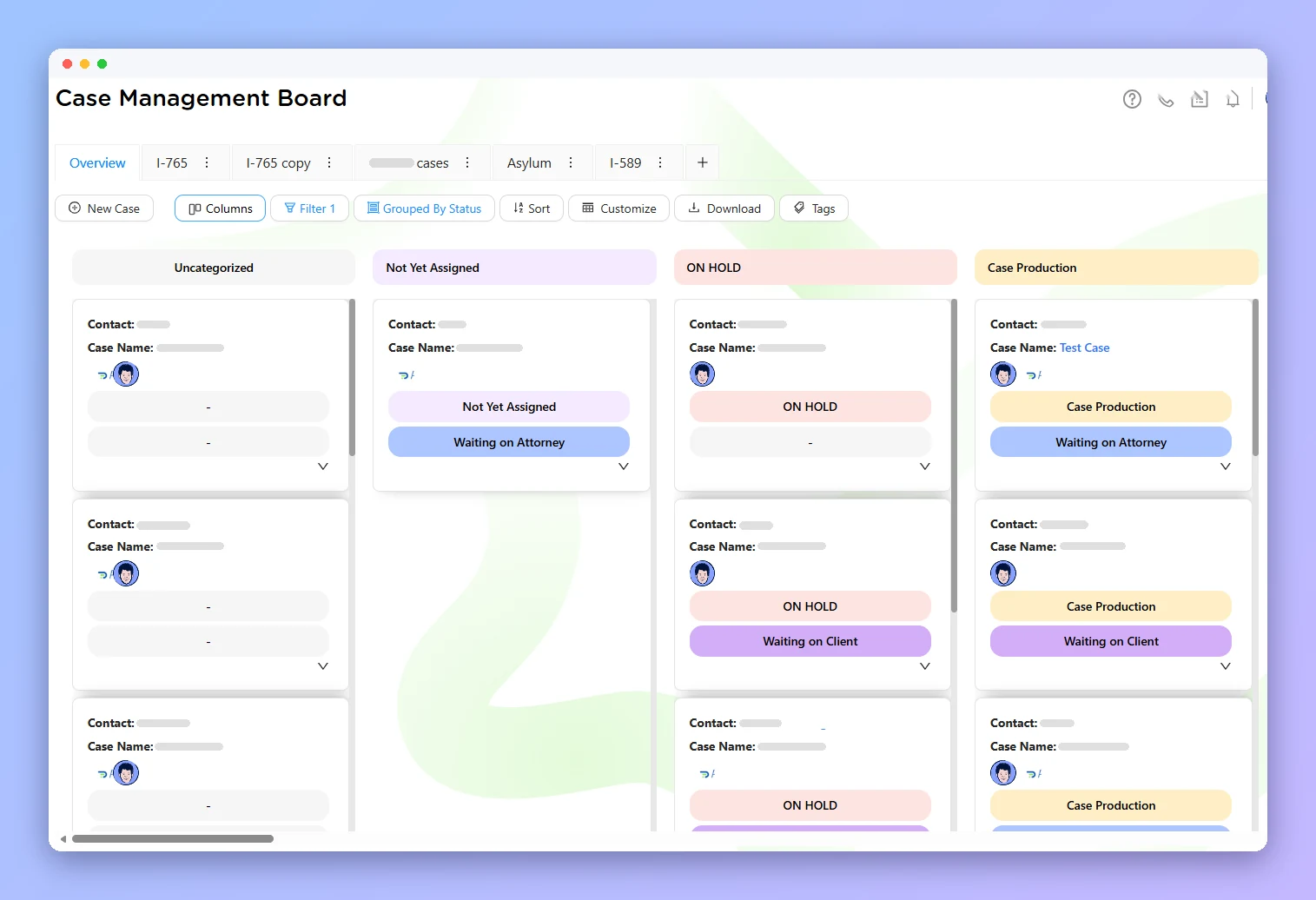
Click + to create a new view. Each one saves its own columns, filters, grouping and sorting.
Narrow the board with equals, not equals, contains, is empty or is not empty, and stack as many filters as you need.
Group by meta status, assigned staff, case type or tags to spot bottlenecks at a glance.
Work in rows, or switch to columns and track cases by status stage.
Group by Meta Status to see every case that's waiting on the client, the attorney or the government.
Filter Status equals Attorney Review, then group by Assigned To to see who has cases pending review.
Filter Case Type contains I-130 and Open/Closed equals Open for a focused practice-area list.
Filter by assigned paralegal and open cases, save it, and rebalance work when someone is overloaded.
Click the + button at the top of the board and name your view.
Click Customize and turn on the columns you need, such as priority or tags.
For example, filter Status equals Attorney Review and group by Assigned To.
Save the view and come back to the same queue any time.
140+ predefined case types with forms and checklists.
Uploads, interviews, forms and payments in one place.
Autofill USCIS, EOIR, DOL and DOS forms from client profiles.
Answers, bug reports and live help inside the app.
Book a demo and see how Case Management Board fits your immigration practice.