

Accept credit card, debit card and ACH payments in the client portal, set up payment plans with autopay, and send every payment to the right operating or trust account. Each payment is recorded on the case automatically.
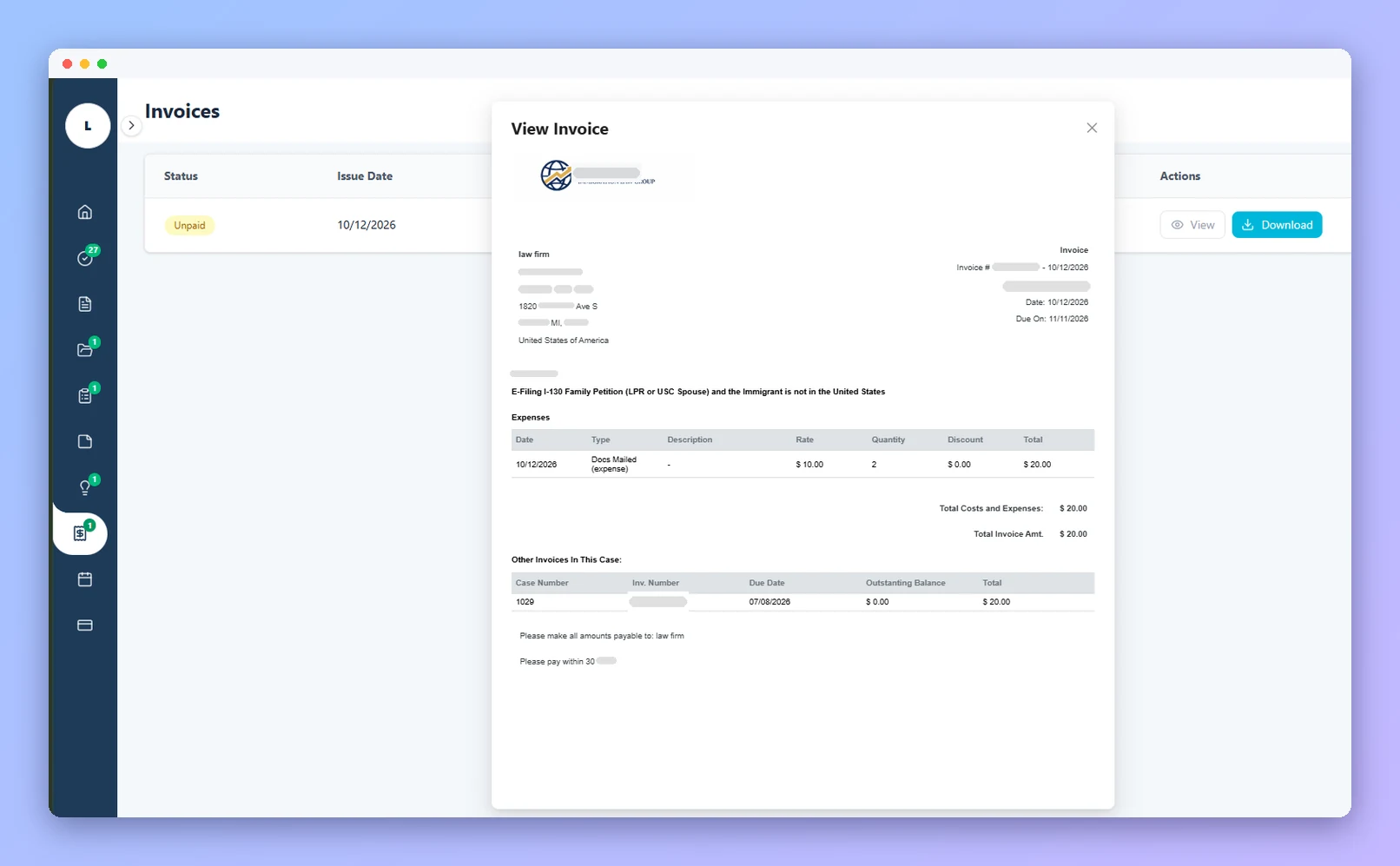
When you issue an invoice or a payment request, your client gets a notification, logs in to the secure client portal, reviews the balance and pays with the method they prefer.
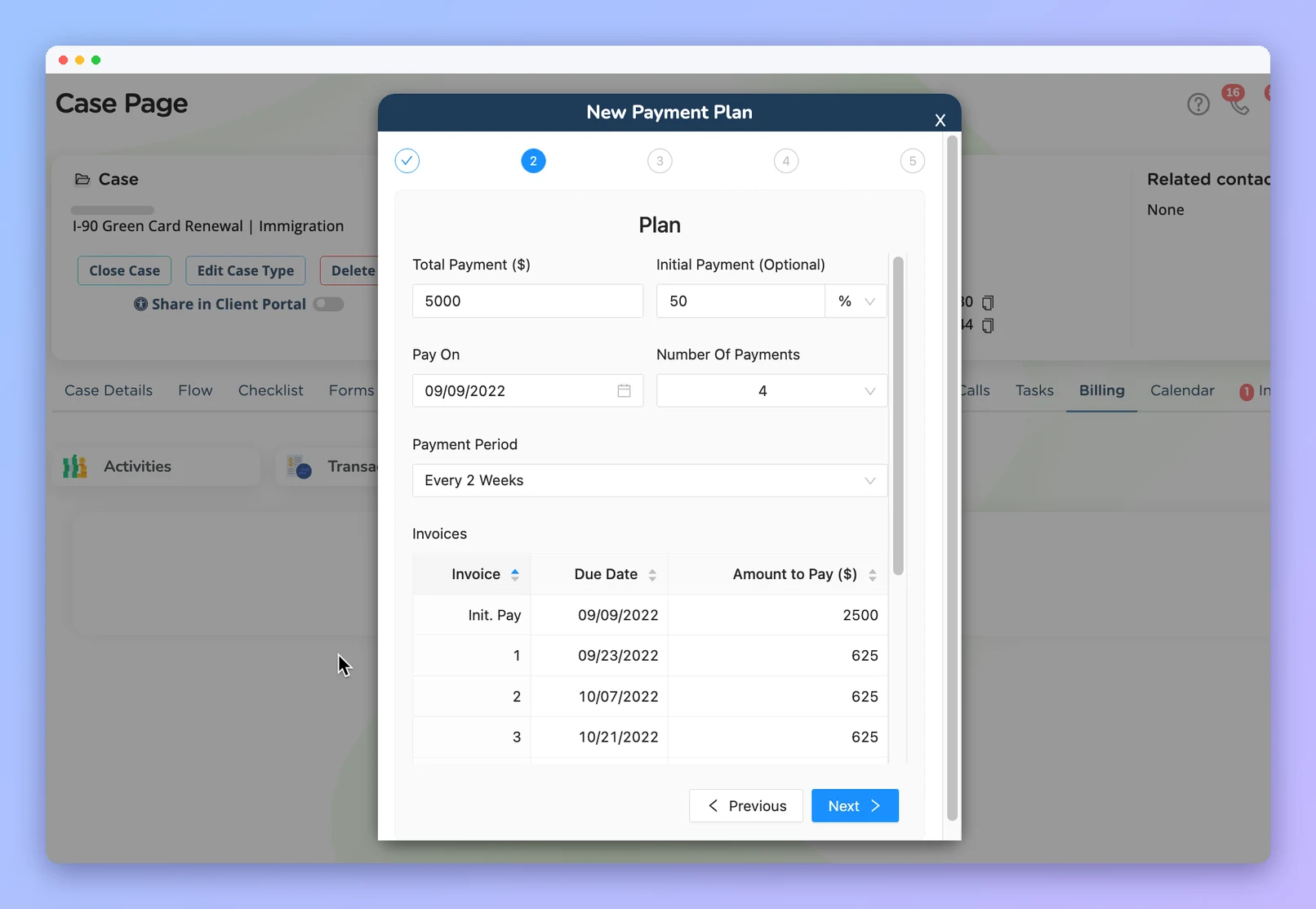
Turn a retainer into a schedule your client can keep. Enter the total, an optional initial payment as an amount or a percentage, the number of payments and how often, and Prima.Law builds the installment invoices for you.
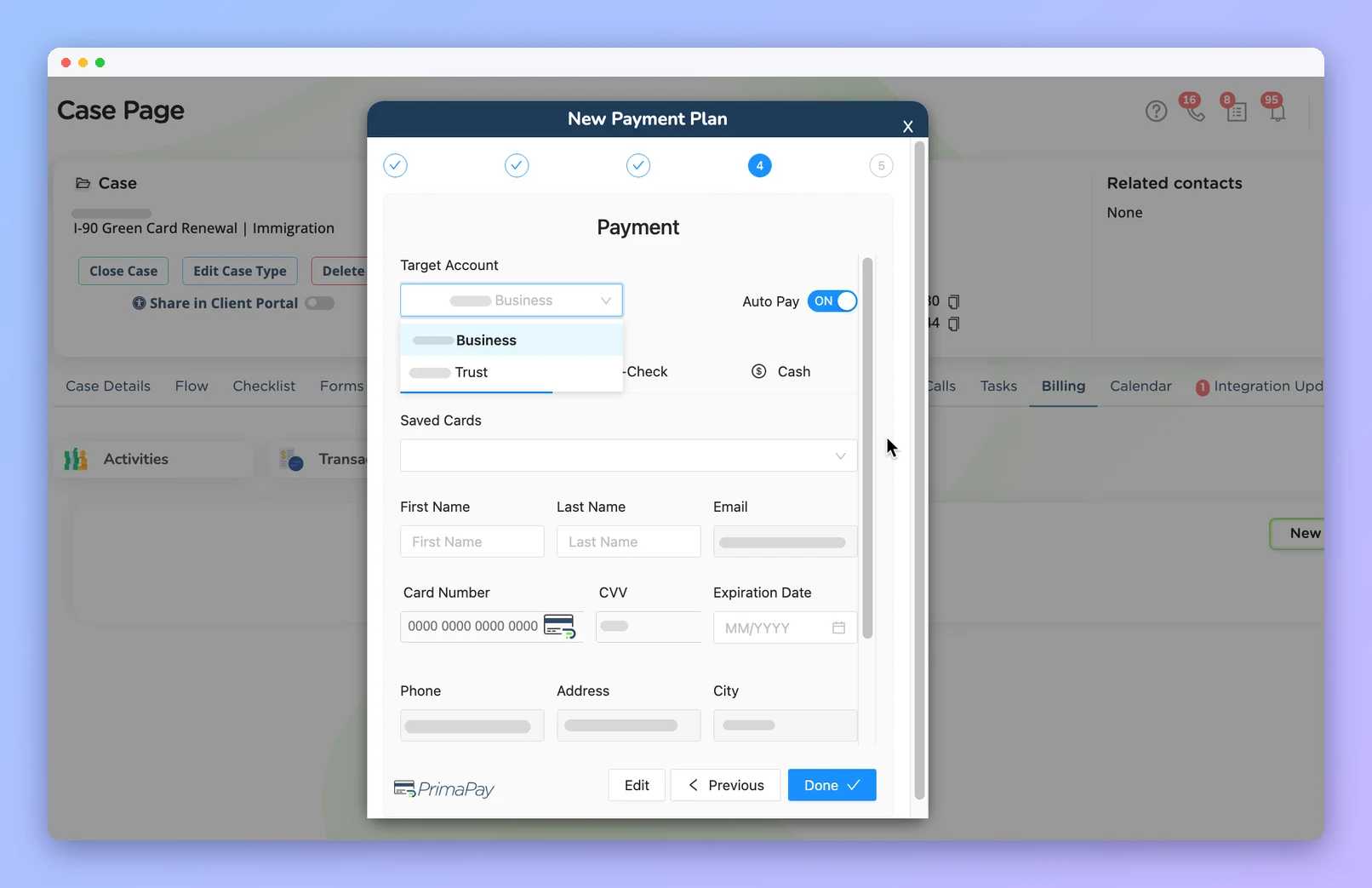
PrimaPay+ is built for law firm accounting. Choose the target account for each payment, so retainers land in trust and earned fees in operating, and record checks and cash in the same place.
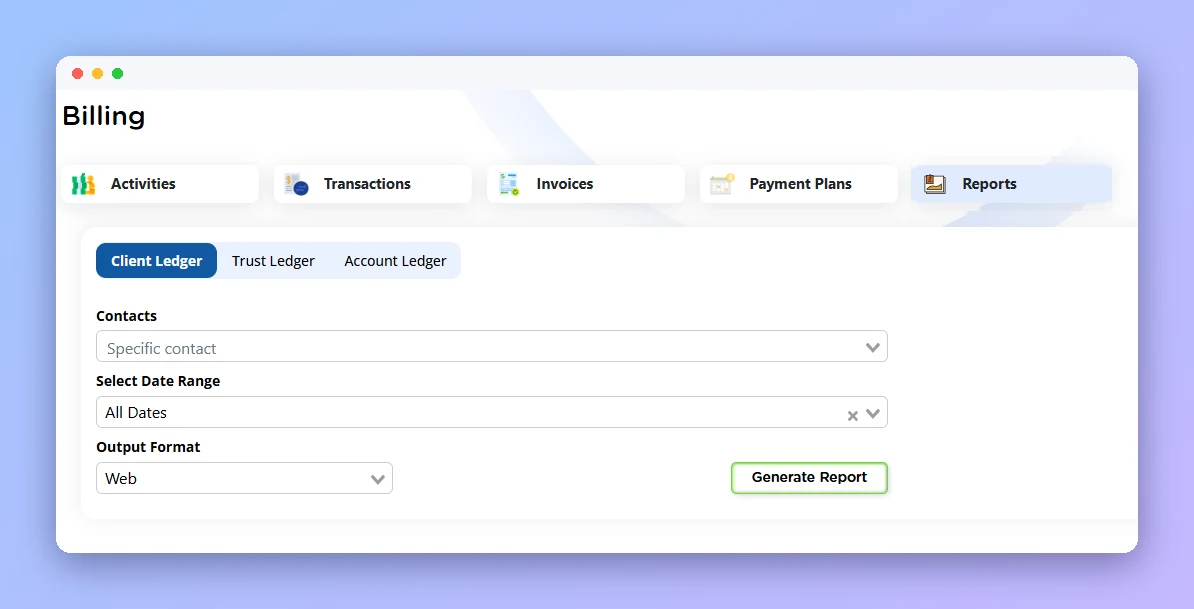
Every PrimaPay+ payment is recorded on the case automatically, so there is no re-entering transactions from an outside processor. Run client, trust and account ledgers by contact and date range, and export for your bookkeeping.
A payment processor built for law firms, with secure processing through an encrypted portal.
Online payments and stored payment methods replace mailed checks and office visits.
Flat-rate processing pricing, without the guesswork or excessive monthly fees.
Payments post to the case and the right account automatically, ready for reporting.
An admin opens the Administrator Panel, goes to Integrations and creates the PrimaPay+ account with Confido Legal.
Add your operating and trust bank accounts in the Administrator Panel and pick a default.
From the case Billing tab, create an invoice or a payment plan and share it in the client portal.
The client pays online, and the payment is recorded on the case and in the right account.
Time, invoices, payment plans and trust accounting.
Uploads, interviews, forms and payments in one place.
Two-way SMS and MMS with each client.
Zapier, n8n and External API Access.
Book a demo and see how PrimaPay+ fits your firm, or start a free trial of Prima.Law.